No Asteroids 90 Days Guide: How the Clock Really Works
How the No Asteroids 90-day contract works: what the counter measures, which actions spend a day, a ten-day spending plan and how to fix a run that is behind.
Ninety days sounds like a generous contract until you work out what a day is worth. In No Asteroids a day is not a timer that runs while you play; it is a single round trip, and every trip that ends badly is one-ninetieth of your run gone. The players who finish comfortably are not the fastest diggers. They are the ones who spend days deliberately and never lose one to a blackout they could have avoided.
What does the 90-day counter actually measure?
It measures volume removed from one asteroid on a collision course with Earth: 5,000,000 m³, with the day counter running alongside it. It does not measure turns, levels or contracts completed. There is one asteroid at a time, shown on a sector map, and the main contract is about reducing its volume to zero before the course brings it to Earth.
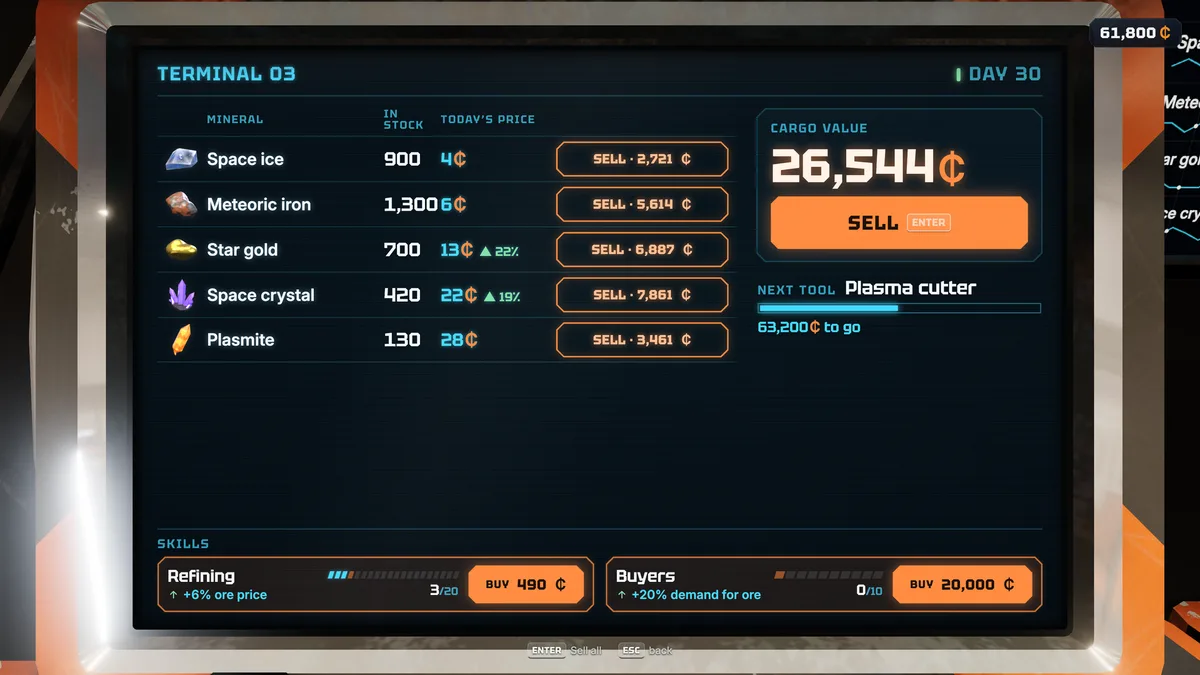
That distinction matters because it rules out the usual completionist instincts. You cannot grind a level and come back later; the rock you leave behind is rock you still owe. The only two levers are how much you remove per shift and how many shifts you get, and the second lever is fixed at ninety.
Why is a day a round trip rather than a timer?
Because the loop is fly down, dig, return and sell. The day advances when the trip resolves, not while you stand still in the hangar. That is why the Steam page’s 6 to 9 hour estimate for the solo contract divides into roughly 4 to 6 minutes of real time per in-game day — an estimate derived from official numbers, not a published per-day figure.
The practical effect is that the clock is turn-based in disguise. You can take ten real minutes to plan a route and lose nothing, then lose a day in four seconds by blacking out at the bottom of a shaft. Time in the hangar is free; time on the asteroid is the currency.
What actually spends a day?
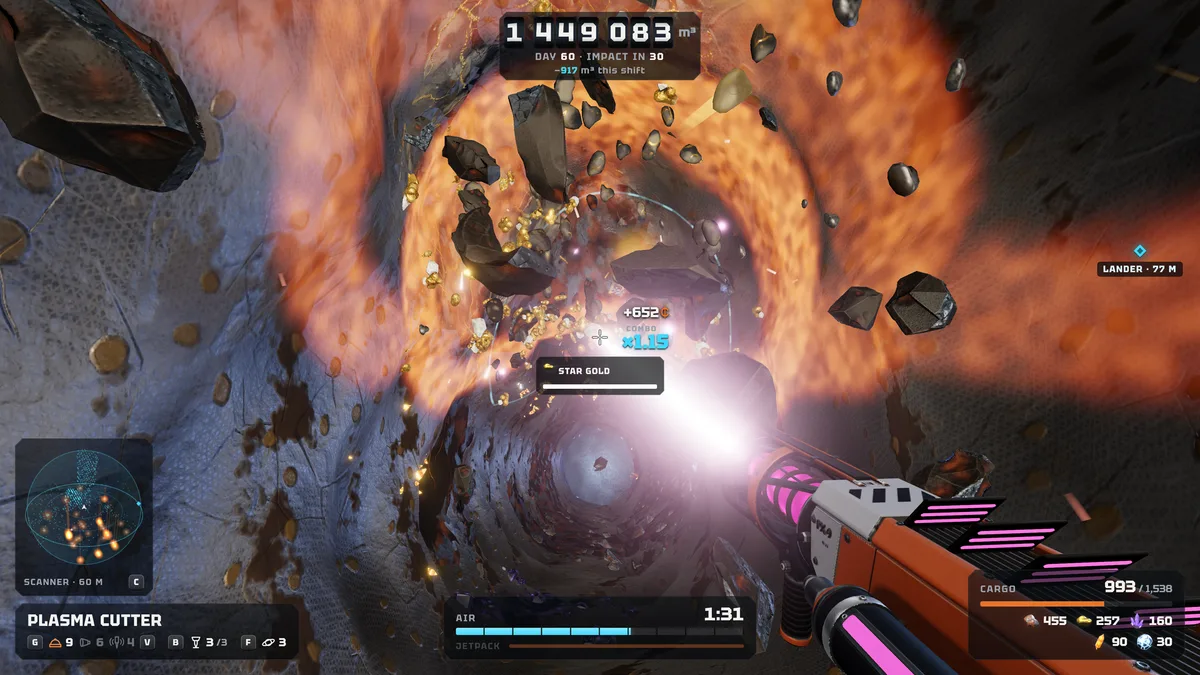
Any resolution of a round trip spends a day, including the ones that go wrong. The table below is the short list of ways players lose days, and what each one costs beyond the day itself.
| Event | Day spent? | Extra cost |
|---|---|---|
| Blackout from zero air | Yes | The cargo you were carrying |
| Launch countdown without you (co-op) | Yes | Your cargo, if you are outside the lander |
| Ending a shift at the ship and letting the day advance | Yes | Nothing beyond the day |
| Returning with a part-full hold | Yes | The volume you left on the rock |
| Standing in the hangar | No | Nothing — planning is free |
| Pausing in No Rush | No | Nothing — the day does not advance automatically |
The co-op case is the one that catches crews. Anyone seated in the lander can start a 10-second launch countdown, and anyone still outside when it finishes blacks out and loses their cargo. It is not a griefer feature; it is how the shared ship works. The fix is a rule, not a mechanic: nobody starts a countdown without a headcount, and every player calls their air at a quarter bar.
What should the first ten days look like?
Spend the first ten days on capacity, not power. The order below is the default from our upgrade order guide, spread across days rather than purchases, and it assumes a solo run on By the Contract.
| Day | Purchase | Why this day |
|---|---|---|
| 1 | First air capacity upgrade | Every shift ends on air first |
| 2 | First cargo capacity upgrade | Converts the longer shift into money |
| 3 | Pickaxe tempo and sweep | Cheap gains before the first tool step-up |
| 4 | Sledgehammer ($500, community-reported) | First real digging step-up |
| 5 | Repair station ($500, community-reported) | One purchase per year, five bonuses — cheapest permanent gain in the game |
| 6 | Second air upgrade | Shift length is still the bottleneck |
| 7 | Second cargo upgrade | The hold is still filling before the bar empties |
| 8 | First ship gun | Guns fire automatically while you dig, so the ship starts earning its keep |
| 9 | Gun slot or jetpack upgrade | Depends on whether volume or travel is limiting you |
| 10 | Save toward the Drill ($2,000, community-reported) | The next tool tier, only once air and cargo are comfortable |
Two entries need a caveat. Prices for air, cargo and Pickaxe upgrades are not published — they are quoted in-game, so treat the days above as an order rather than a budget. And the repair station’s five bonuses are not individually detailed in the patch notes, only the price and the once-per-year limit; at $500 it is cheap enough that the exact bonuses rarely change the decision.
When do ship guns take over from the hand tool?
Guns take over gradually, starting from the moment you mount the first one. The ship begins unarmed, and every gun you buy fires automatically while you dig, so a gun is passive volume on every future shift. Early on that passive volume is small next to your Pickaxe. By the middle of the run, with several slots filled, the ship is doing a meaningful share of each shift’s excavation and the hand tool is finishing pockets rather than clearing rock.
The game does not publish damage or volume numbers for any gun, so there is no honest way to give a percentage split. What can be said is directional: the deeper and harder the rock, the more the automatic fire matters, and the point where a new gun beats a new tool is usually the point where your air and cargo bars stop being the limit. The ship weapons guide covers the nine guns by role without inventing stats.
What does falling behind look like?
Falling behind looks like a volume number, not a feeling. Divide 5,000,000 by 90 and the straight-line pace is about 55,556 m³ per in-game day. That is an arithmetic estimate, not an official target, but it gives a useful checkpoint: by day 30 you should be around 1,666,680 m³ removed if you are on pace, and by day 45 around 2,500,000.
Most runs are behind that line in the first week, because early air and cargo limits make big shifts impossible. The line to worry about is the trend, not the snapshot. If your daily volume is rising as upgrades land, you are catching up. If it has been flat for five days while you saved for a tool, you have bought the wrong thing.
How do you fix a run that is behind?
Stop buying tools and buy volume. The economic fix has four parts, in order of impact. First, sell every trip instead of banking ore, because prices move daily and a hold in the ship earns nothing. Second, refine at the terminal — the official screenshot shows a +19% uplift on the sell-all button, which is a multiplier on every haul. Third, steer one shift a week onto the daily order, which pays a bonus on a named mineral. Fourth, from day 35, fill spare cargo with ordinary rock at $2 per unit instead of flying home with empty slots, a rule added in 1.0.2.
Then move the upgrade budget from hand tools to ship guns and cargo. A tool only helps the time you spend swinging it; a gun works every second of every shift. That is the shift in thinking that turns a behind run around, and it is also why the last ten days should skip expensive tools entirely — you will not earn back a $2,000 Drill in a week of short shifts.
Does the clock matter in No Rush?
No. No Rush removes automatic day advance and optionally turns off blackouts, so the ninety days become a scorecard rather than a deadline. If you are playing for the museum, the achievements or the telescope vignettes, No Rush is the mode that lets you look at them. If you want the contract to feel like a contract, By the Contract is the recommended mode and the one the six-to-nine-hour estimate assumes.
The clock is also the reason the how long to beat answer is a range rather than a number: 90 days at 4 to 6 minutes each is 6 to 9 hours, before New Game Plus, post-contract jobs or a single wasted week. For the day-one version of this plan, start with the beginner guide; for what changed in each patch since launch, the patch notes list every version from 1.0.1 to 1.0.9.
Gallery
FAQ
How many days do you get in No Asteroids?
Does returning to the lander early waste a day?
How much do I need to mine per day in No Asteroids?
Can I pause the 90-day clock?
Related Articles
guides
No Asteroids Selling Ore: Terminal, Refine and Daily Orders
How selling ore works in No Asteroids: the terminal beside the lander, the refine uplift, daily orders, glut, and when to sell every trip or bank a haul.
guides
No Asteroids Tips: 15 Habits That Save In-Game Days
Fifteen No Asteroids tips that actually save time: quarter-bar returns, cargo before speed, daily bonuses, gun timing and the habits that prevent blackouts.
guides
No Asteroids Upgrade Order: What to Buy First
The No Asteroids upgrade order that works: diagnose your bottleneck, buy air before tools, slot the repair station early, and know what to skip late.
Was this helpful?
Thanks for the feedback!